Voice to text and meeting notes
Your voice, written.
Your meetings, done.
Voicelit turns what you say into clean writing in any app, and turns every meeting into minutes with real names and to-dos.
Say it once. All in order.
Dictation
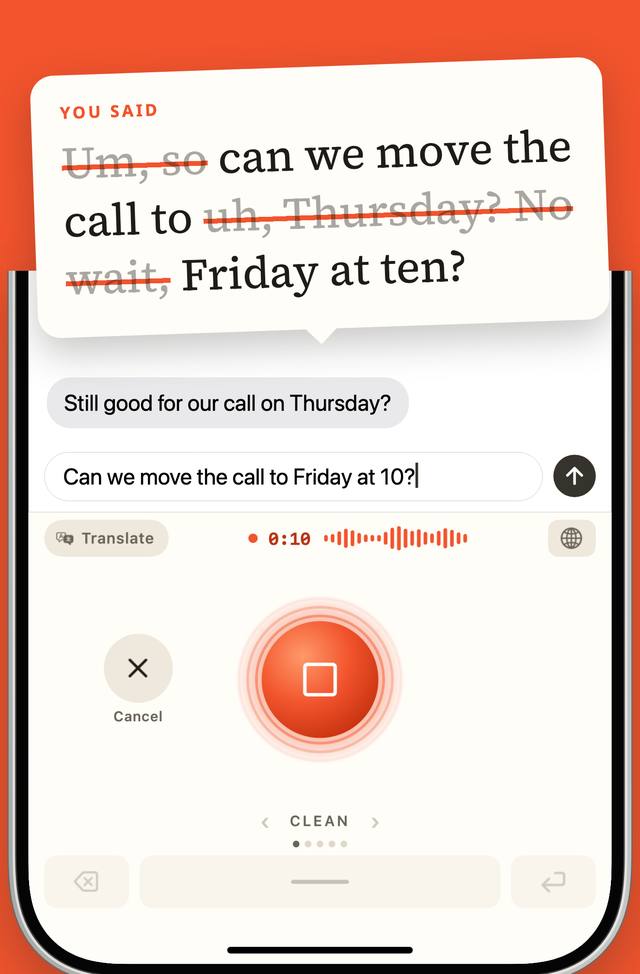
Say it the way you think.
Talk with pauses, restarts and changes of mind. Voicelit keeps what you meant and types it into the app you are already in.
In any app
A voice keyboard on iPhone and Android, so it writes into messages, email, notes and anything else you type in.
Clean text
Filler words, false starts and corrections are removed. The final version stays, and nothing is added that you did not say. Pick a style for chat, email or notes, or describe your own. A personal dictionary keeps names spelled right.
Your languages
Dictate in 60 languages, or let Voicelit detect the language you are speaking.
Translate as you speak
Speak in one language, write in another. One tap on the keyboard turns translation on or off.
Meetings
From a conversation to a finished page.
Tap Record, or start from a shortcut on your lock screen or home screen, then just talk. Voicelit works out whether it was a meeting, a note or a to-do list, and writes it up that way. No bot joins the call.
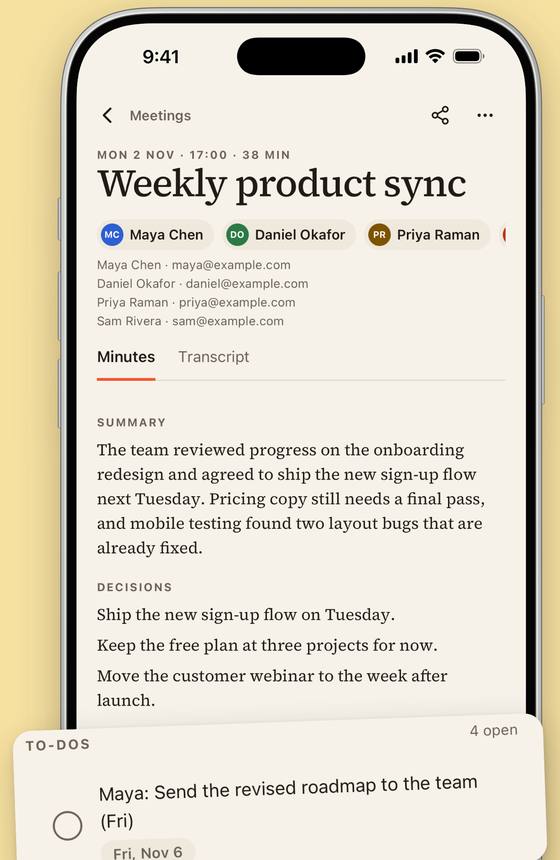
Minutes you do not have to write
Voicelit writes a transcript and minutes: a summary, the decisions, and the open questions.
Everything stays in the app, ready to read, search or share when you choose.
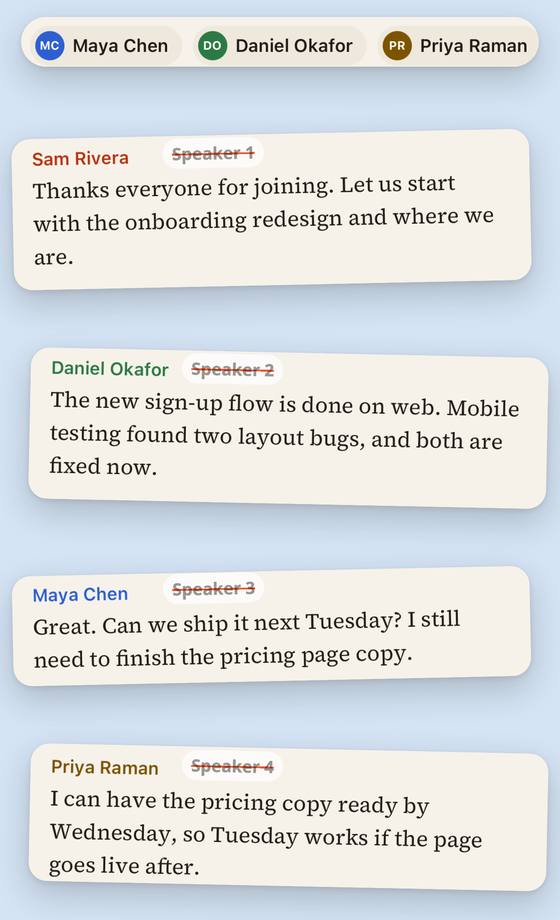
Real names, not Speaker 1
Speakers are named from your calendar invite and from what was said in the room. You can rename any speaker.
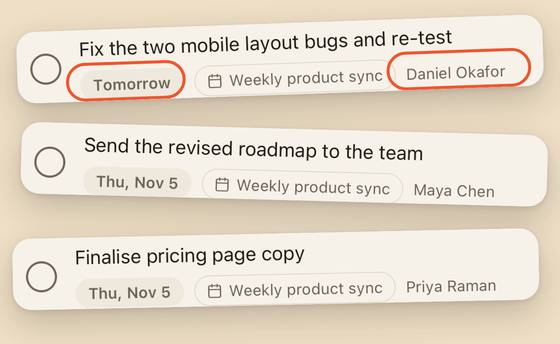
To-dos with an owner and a date
Next steps are taken from what was said, with who owns each one and when it is due.
If you want them elsewhere, you can send them to Google Tasks.
Optional sync: turn it on and your notes, meetings and to-dos follow you to your other devices, end-to-end encrypted. Audio is never synced.
Privacy
Private by design.
What Voicelit does with your voice and your notes, in plain words. The full detail is in the Privacy Policy.
- Recordings are never syncedAudio is sent only to transcribe it.
- AI providers do not train on your contentEvery request forbids it. Providers may keep content for up to 30 days under their own terms, and we cannot shorten that.
- Sync is optional and end-to-end encryptedIt is off until you turn it on. What you sync is locked on your device, and we cannot read it.
- You are asked firstVoicelit asks for your agreement before the first AI request, and you can withdraw it in the app at any time.
- No ads, no sellingWe do not show ads, we do not sell your data, and we do not track you across other companies' apps or websites.
- You can leaveDelete your account in the app whenever you like. What happens when you do
If you use Voicelit through your company, its admins can see your name, email, role and when you last used it. They never see your recordings, transcripts, notes or minutes.
Connecting Google is optional, and you can disconnect at any time. What each permission is used for is in the Privacy Policy.
Get the app.
Voicelit for iPhone, Android, Mac and Windows is not available to download yet.
If you would like to try it early, or be told when it opens, write to [email protected].
Email usWho is behind it.
Voicelit is made and operated by Onner Tech Company Limited. Questions, support and privacy requests: [email protected].